

The social feed shows recent trades from Money Managers in our copy trading program. In the current version of Fortuno Terminal, the feed is no longer shown on the Trade screen. It only appears when you open it yourself.
1. Where the feed is
The feed is in the Copy Trading section: (1) click Copy Trading at the top of the screen, then (2) the Feed tab.
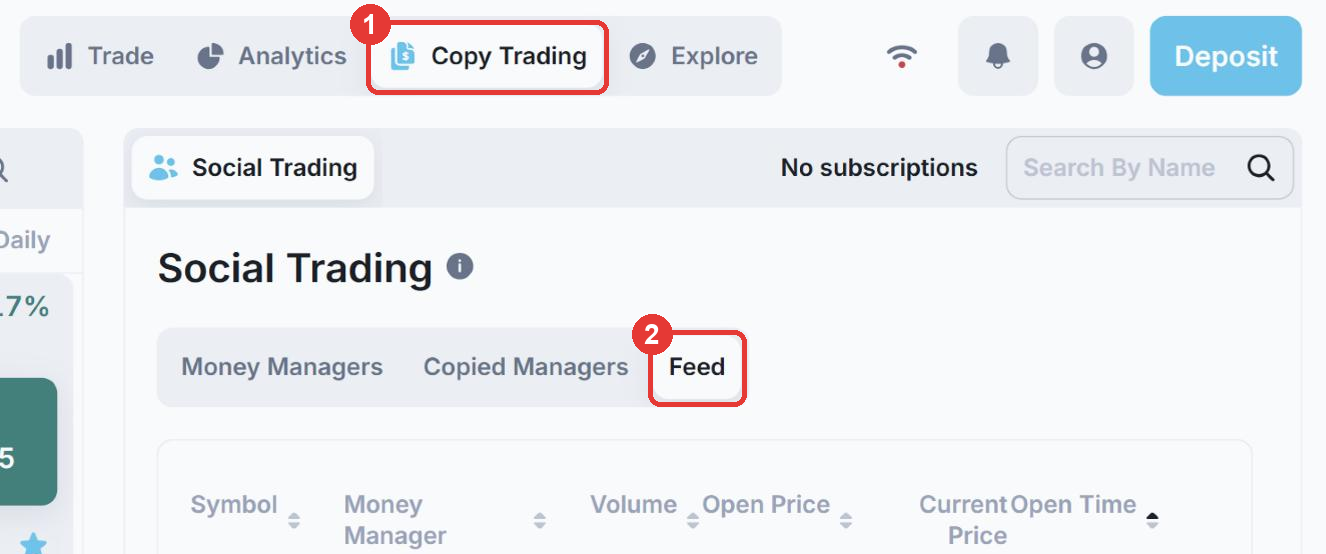
To leave it, click Trade at the top of the screen. You will not see the feed again unless you open it.
2. Choose what the bottom-left panel shows
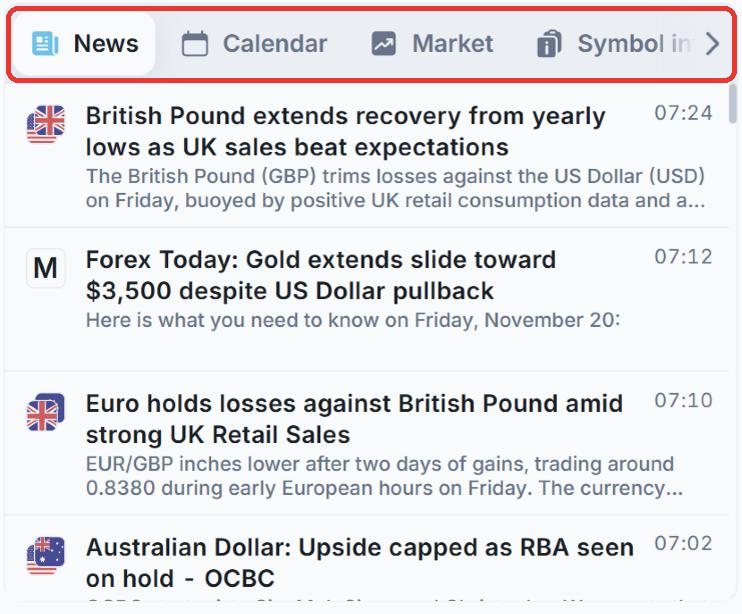
On the Trade screen, the panel at the bottom left can show News, Calendar, Market, Symbol info or Copy Trading. If copy trading information is distracting you, click another tab, such as News.
3. Turn off notifications you don’t need
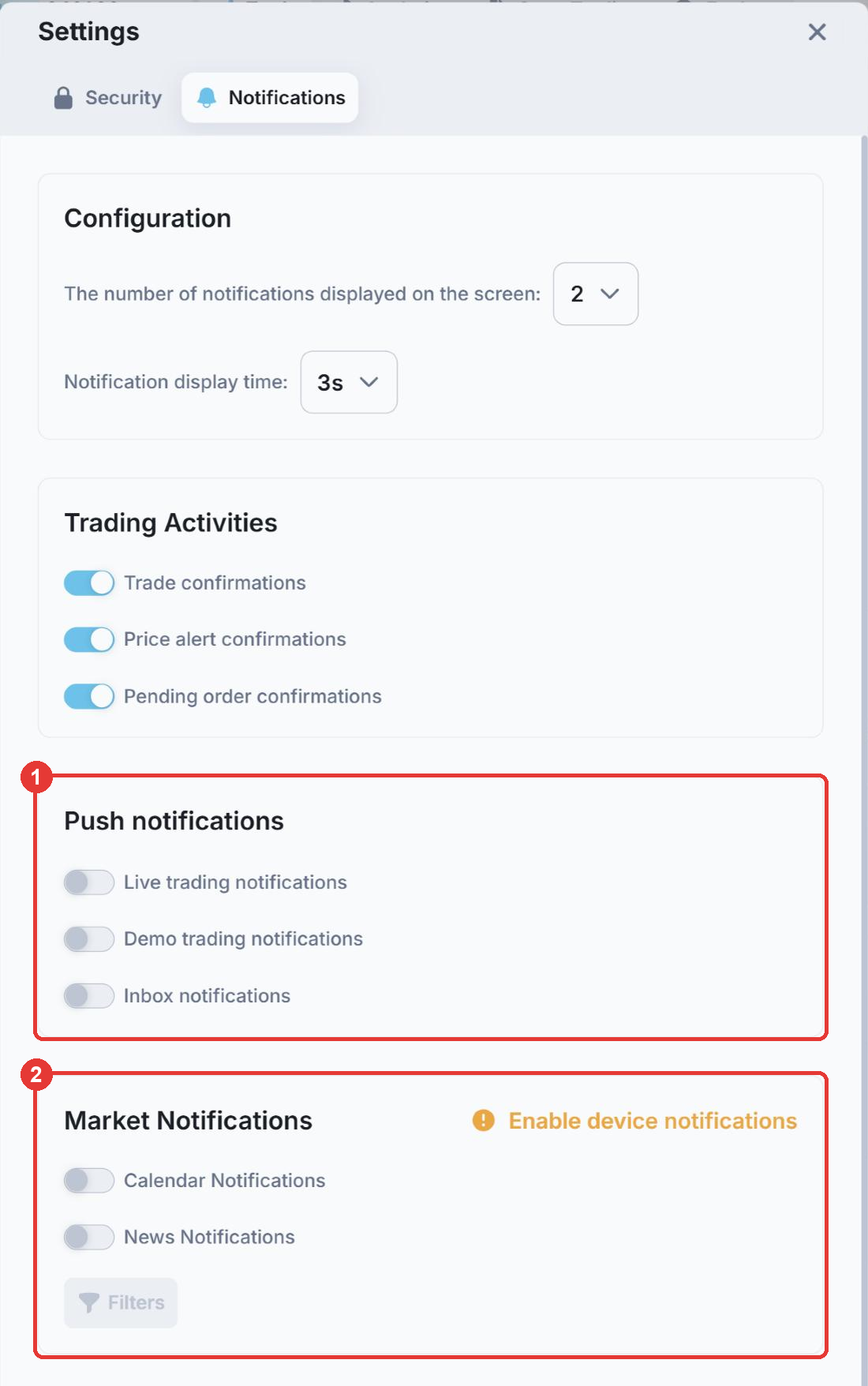
Click the profile icon in the top right corner, choose Settings and open the Notifications tab. There you can turn (1) push notifications and (2) market notifications on or off, and set how many notifications appear on screen and for how long.
Still seeing the old feed on your Trade screen? Click the profile icon and choose Restart app to load the latest version of the platform.