

Fortuno Markets no longer uses the MetaTrader 4 (MT4) or MetaTrader 5 (MT5) platforms. Your trading account runs on Fortuno Terminal, so your login details will not work in MT4 or MT5. We moved away from MetaTrader because TradingView is more advanced in both features and technology.
Where to trade instead
- Fortuno Terminal in your browser: log in here. It works on any computer, phone or tablet, with nothing to install.
- Fortuno Markets app: available for Android. See Does Fortuno Markets have an app?
- Desktop: you can install Fortuno Terminal on your computer from your browser. See the same guide.
Use TradingView charts in Fortuno Terminal
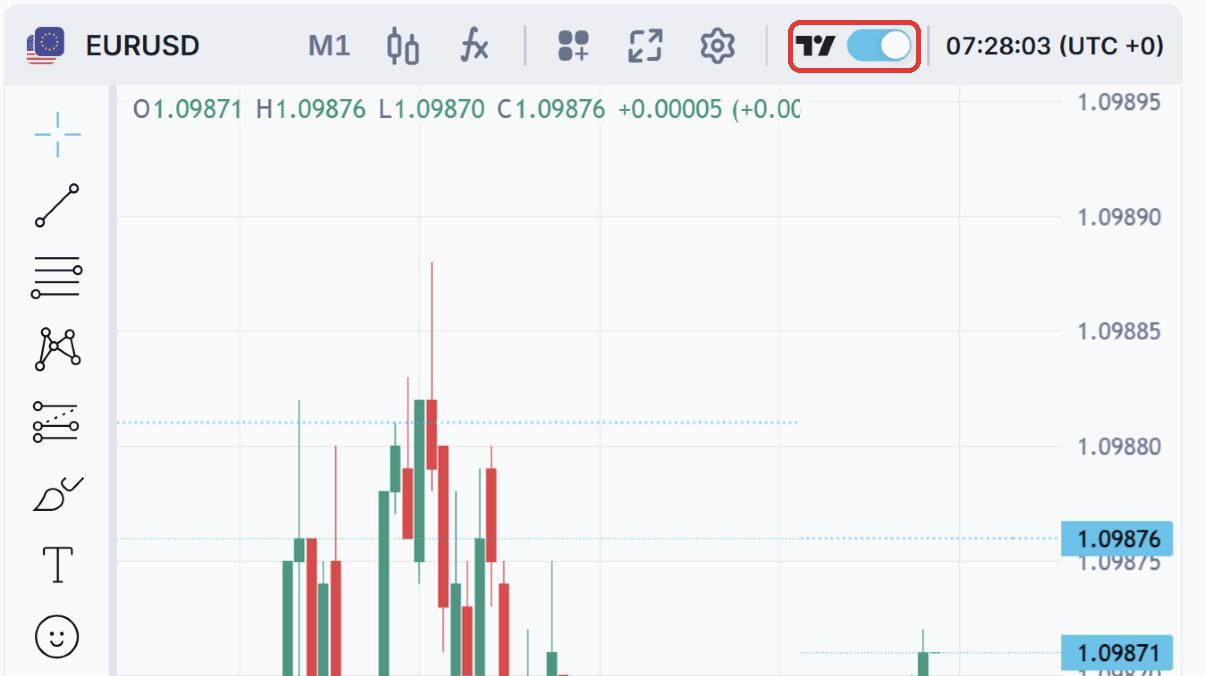
If you are used to MetaTrader’s charts, try TradingView charts, which are built into Fortuno Terminal. Click the switch next to the TradingView logo above the chart to turn them on. You get TradingView’s indicators and drawing tools and can trade from the same screen.
To learn your way around the platform, see our Trading platform guides and TradingView Charts.