

This guide shows you how to add funds to your trading account from Fortuno Terminal. It takes only a few steps.
1. Click Deposit
Log in to Fortuno Terminal and click the blue Deposit button in the top right corner.

2. Choose a payment method
(1) Click the payment method you want to use. (2) Click Next.
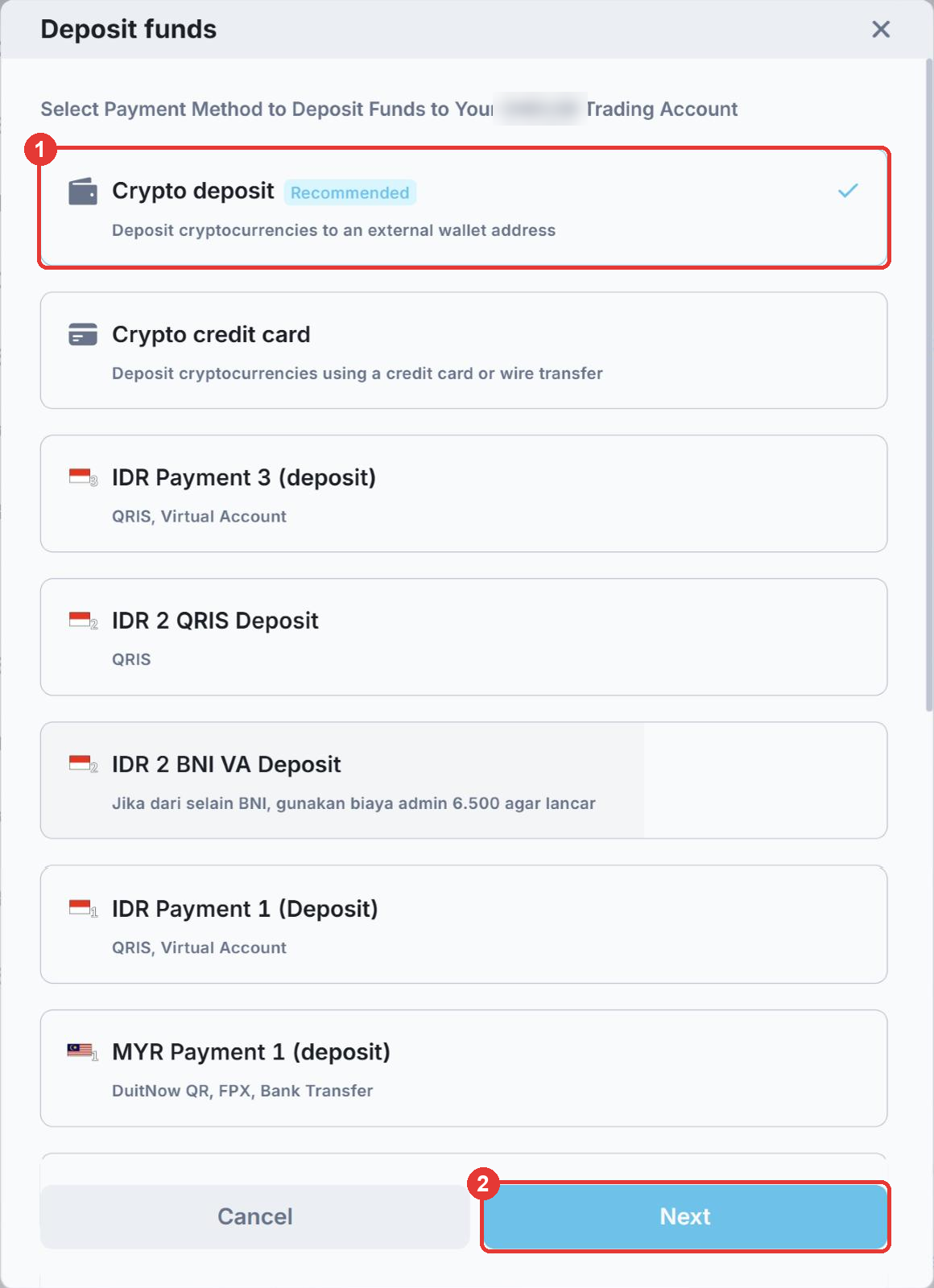
See Supported payment methods for the full list.
3. Enter the amount
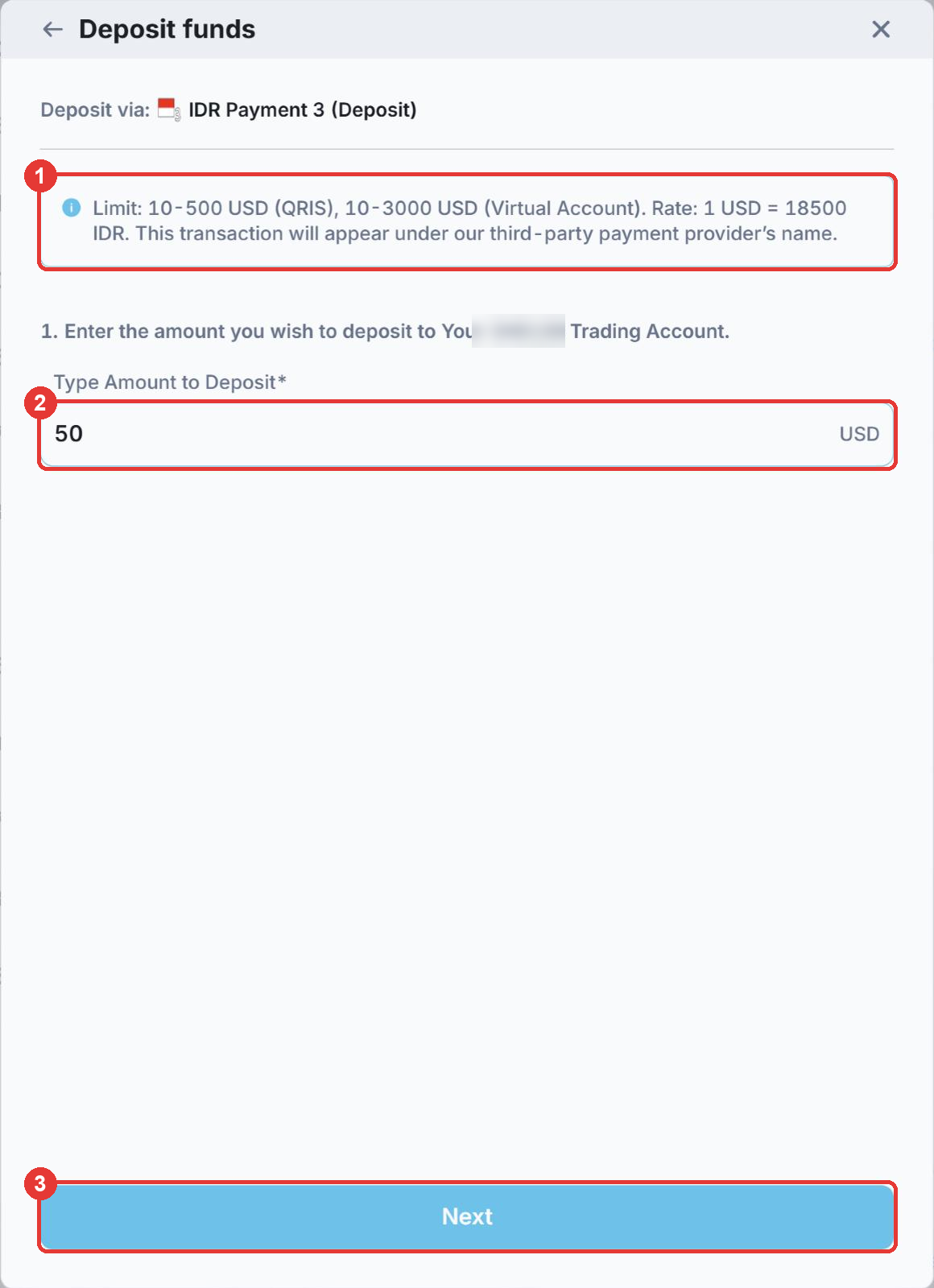
- (1) Check the blue box. It shows the minimum and maximum amount for this method and the exchange rate.
- (2) Type the amount you want to deposit, in USD.
- (3) Click Next.
4. Complete the payment
You are taken to our payment provider’s page. Follow the instructions there to pay, for example by scanning a QR code, transferring to a virtual account or sending crypto to a wallet address.
Most deposits arrive instantly or within 30 minutes. Crypto deposits usually arrive within 15 minutes. To check your balance, click your account number at the top of Fortuno Terminal.
Good to know
- Fortuno Markets does not charge deposit fees. Your bank, e-wallet, card company or crypto network may charge their own. See Deposit & Withdrawal for limits, fees and exchange rates.
- Pay from an account in your own name. Third-party payments are not accepted.
- The payment will appear under the name of our third-party payment provider.
- If your deposit has not arrived after the expected time, contact our support team on Telegram at @fortunosupport.