

Verifying your identity (KYC, Know Your Customer) keeps your funds safe and is required for us to stay compliant with financial regulations. You can start trading as soon as your email is verified, but you need a verified account to make withdrawals.
1. Open your account details
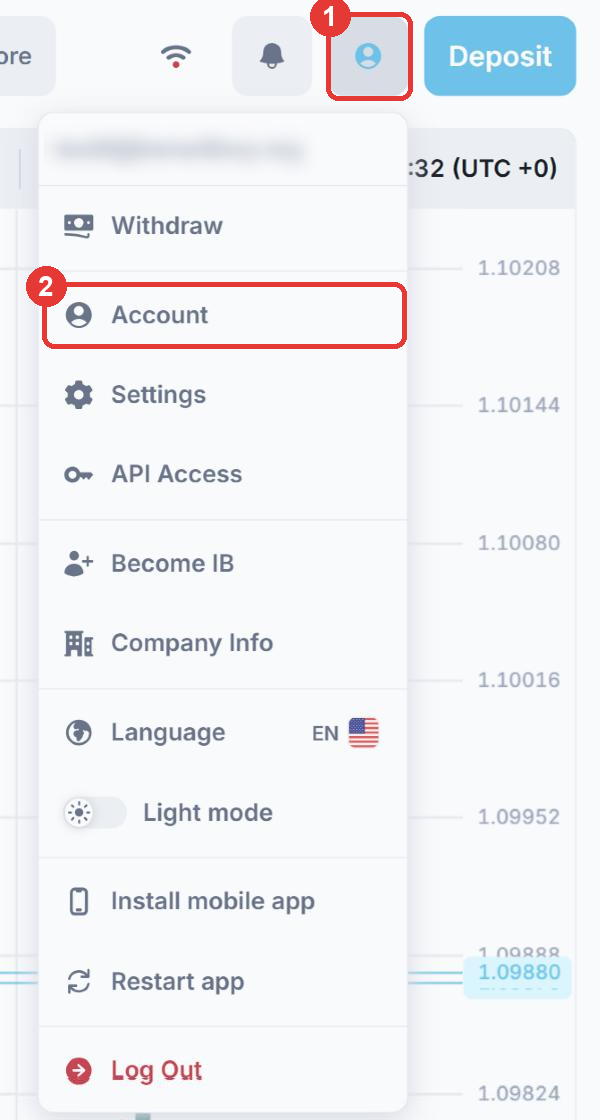
Log in to Fortuno Terminal. (1) Click the profile icon in the top right corner. (2) Click Account.
2. Complete your details and upload your document
The Personal info tab shows Verification required until your account is verified. Fill in every section:
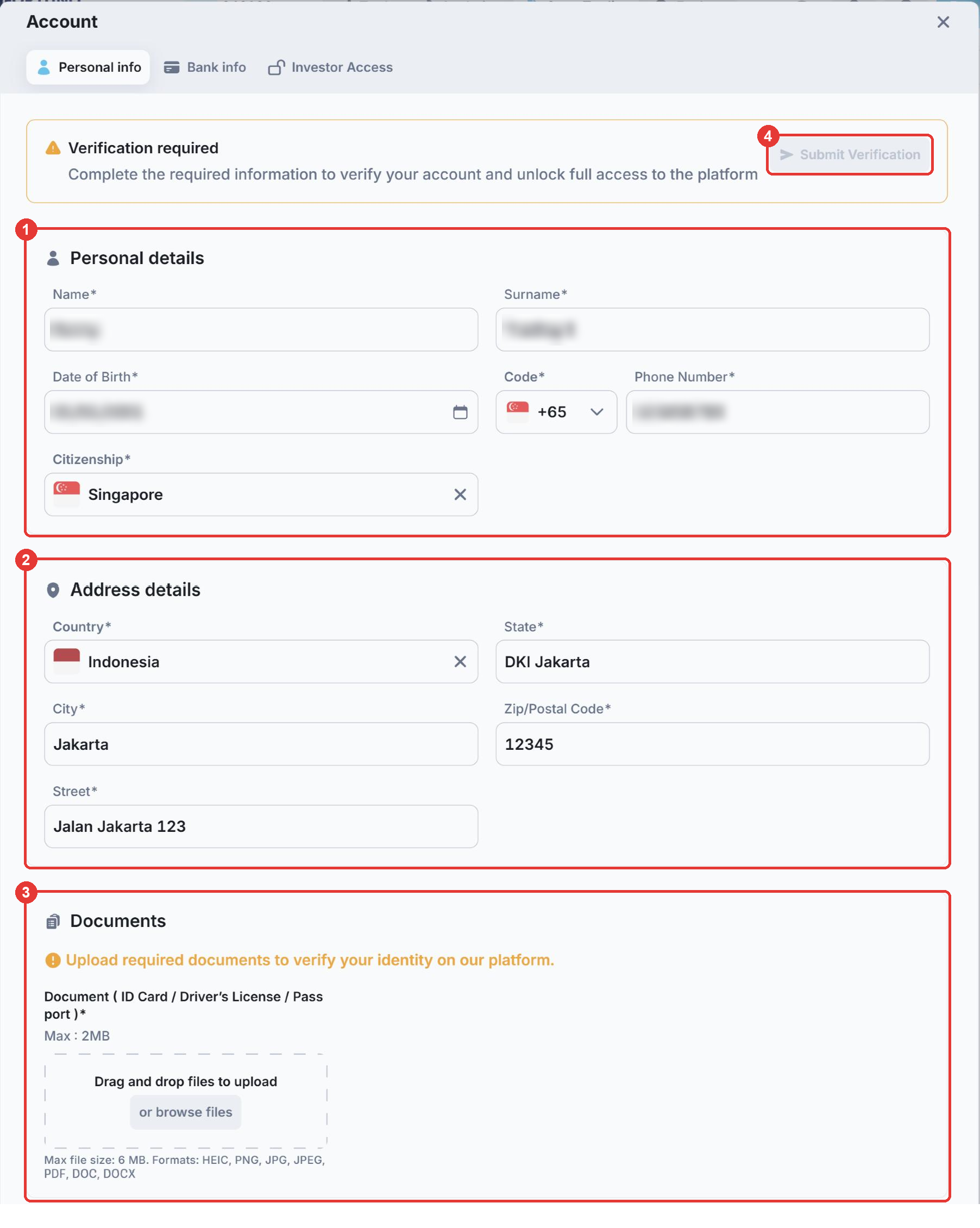
- (1) Personal details: your name, surname, date of birth, phone number and citizenship. Your name and date of birth must match your identity document exactly.
- (2) Address details: your country, state, city, zip/postal code and street. Enter your current residential address. It may be different from the address on your identity document. This address is also used as your card billing address (see below).
- (3) Documents: upload your ID card, driving license or passport. Accepted formats are HEIC, PNG, JPG, JPEG, PDF, DOC and DOCX.
- (4) Submit Verification: click it when all the details are complete.
Verification can take up to 24 hours. Complete it well before you plan to make a withdrawal.
Your address is used as your card billing address
Need to change your address after verification? Your details cannot be edited once your account is verified. Contact our support team on Telegram at @fortunosupport and ask them to unverify your account. You can then update your address and submit your verification again.
Document requirements
- The full name on your Fortuno Markets account must match the name on your identity document. If your document includes a title in your name, include it too.
- You must be 18 years old or older.
- The document must be valid for at least six months from the day you upload it.
- The image must be clear and readable, not blurry.
- The document must be officially issued by a government, for example an ID card, passport or driving license.
If any of these requirements is not met, your verification will be rejected. You can then correct your details or documents and submit them again.
Need help? Contact our support team on Telegram at @fortunosupport.